Guides
AI vs real video: 4 side-by-side examples
Four pairs of real results from our test set, one AI clip and one real video each, with what to compare in every pair and what a single frame can't show you.
Video Verifier team · · 5 min read
The clearest way to learn the difference between AI and real video is to compare them side by side. Below are four pairs from our test set, each with one AI clip and one real video of a similar kind of scene, plus what to compare in each and what our video model said. The short version: in a still frame, the difference is often invisible. It shows up in motion, in the background and in cause and effect.
Before you look: what these cards are
Each card shows one frame from a clip in our held-out test set, which our video model never saw during training. The score on each card is our video model alone, not a full scan. The real videos come from Wikimedia Commons and are credited under each card. The AI clips come from public datasets of videos made with the tools named on the card.
One frame can't show motion, so for each pair we also tell you what to watch for when you have the actual video in front of you.
Pair 1: people around a focal point
In the first card, a woman adjusting a telescope at night, made with Google Veo 2; our video model scored it 99% AI. In the second, visitors around a statue in a museum, filmed from above, a real video; it scored 99% real.
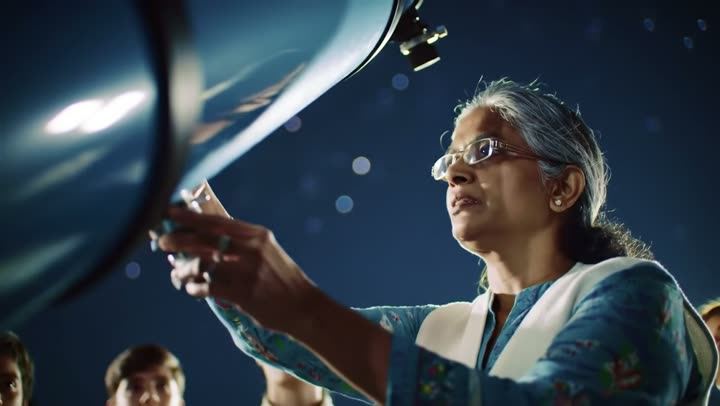
Video is likely
AI-made
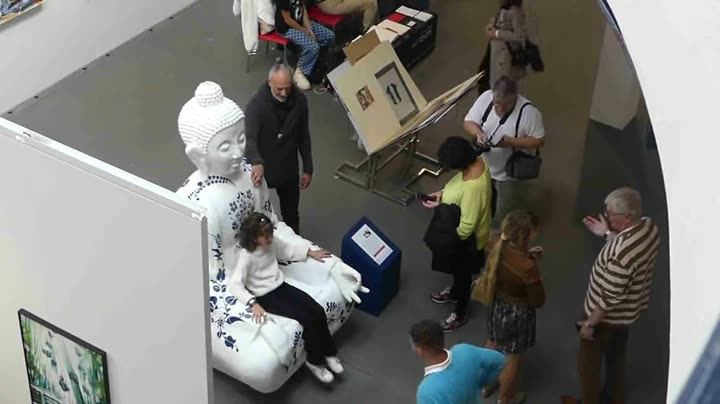
Video is likely
Real
What to compare:
- How people relate to the object. In real footage, people move around a statue unpredictably: they stop, step back, take photos, block each other. In AI scenes, people often interact with the main object in a neat, posed way.
- Light sources. At night, every bit of light comes from somewhere: a lamp, a screen, the moon. Ask where the light on a face is coming from, and whether it stays consistent as the person moves.
- Hands on equipment. Watch fingers on dials and knobs. Real hands press and turn; AI hands often hover or slide.
Pair 2: busy streets
In the first card, decorated elephants walking down a city street past a mural, made with Pika; our video model scored it 99% AI. In the second, a shopping street with people walking, a real video; it scored 99% real.
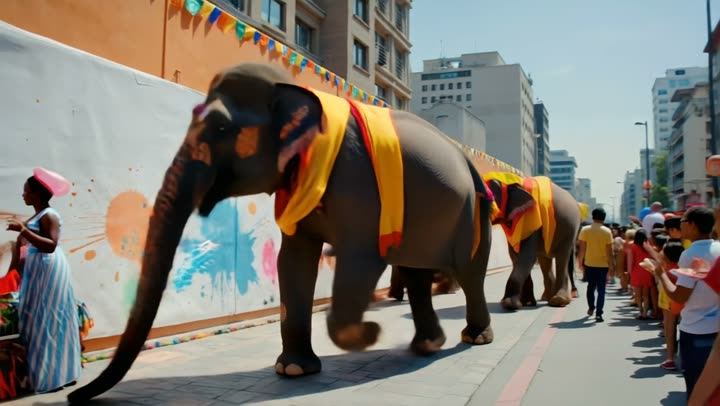
Video is likely
AI-made
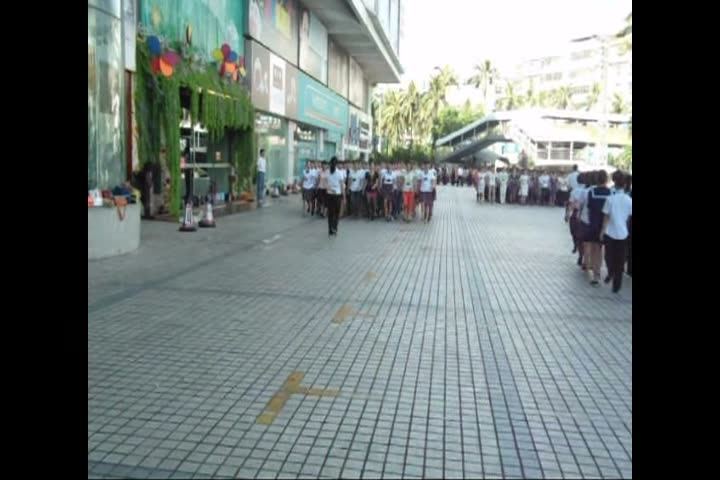
Video is likely
Real
What to compare:
- Background walkers. On a real street, each person has their own pace and direction, and some are partly hidden by others. In AI street scenes, watch for people who glide, walk on the spot, or merge as they cross.
- Text and signs. Real streets are full of readable signs. AI streets often have lettering that looks like words from a distance but isn't.
- Scale and weight. Large animals in real footage move with weight: heads sway, feet land heavily. Ask whether the movement matches the size.
If you get forwards of festivals, processions or busy city scenes, these are the details to watch. Our Pika detection page has the numbers for that tool.
Pair 3: dramatic light
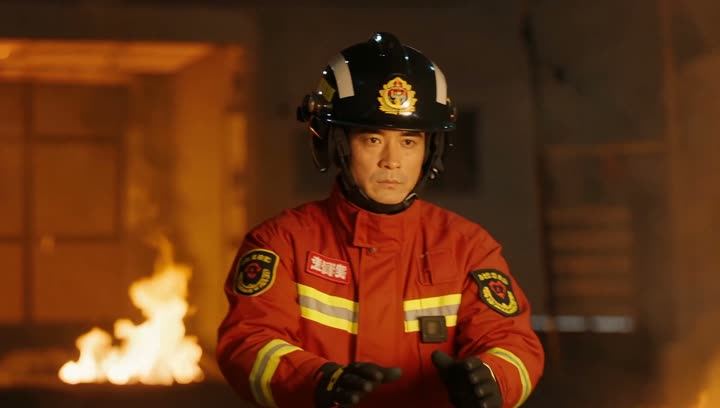
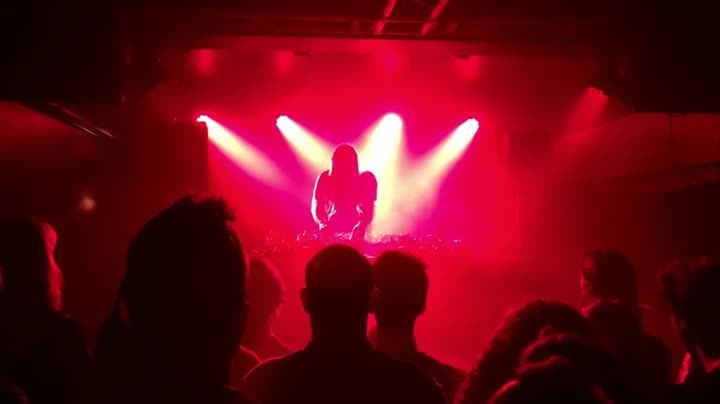
In the first card, a firefighter in front of flames, made with ByteDance Seedance 1 Pro; our video model scored it 99% AI. In the second, a crowd at a concert under red stage lights, a real video; it scored 99% real.
Video is likely
AI-made
Video is likely
Real
What to compare:
- How strong light falls on people. Firelight and stage light flicker and change. On real faces and clothes, that light moves with the source. Watch whether it does in the clip.
- Smoke and flames. Real fire is chaotic and never repeats. AI fire can loop, pulse evenly or flow in a direction that doesn't match the wind.
- Crowd behaviour. A real concert crowd is messy: phones up, heads bobbing out of time, people leaving. Neat, synchronised movement is a warning sign.
Fire and disaster scenes turn up in fake "breaking news" clips, so this pair is worth studying. Our Seedance detection page covers the tool behind the first clip.
Pair 4: water
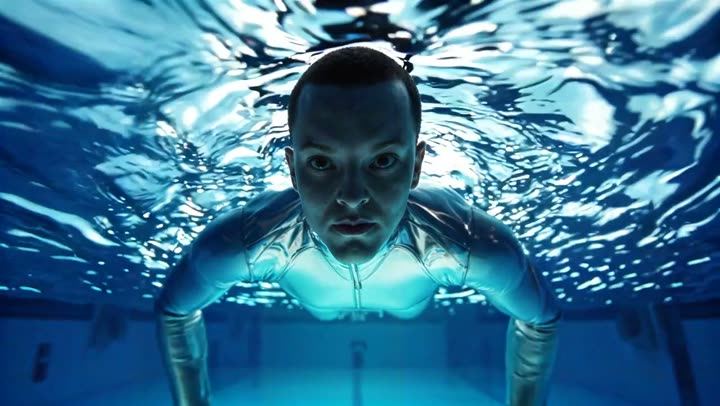
In the first card, a man floating underwater looking up, made with ByteDance Seaweed; our video model scored it 99% AI. In the second, a small water bird swimming on a lake, a real video; it scored 96% real.
Video is likely
AI-made

Video is likely
Real
What to compare:
- Ripples and wakes. A swimming bird pushes a V-shaped wake that spreads and fades. Watch whether movement in water leaves a trace that behaves like this.
- Bubbles and hair. Underwater, bubbles rise and hair drifts slowly. In AI clips, bubbles may fall, freeze or appear from nowhere.
- Reflections. On a calm surface, reflections should match what's above them and break up when the water moves.
Notice that the real bird clip scored 96% real, not 99%. Scores vary from clip to clip, and a 96% reading is still a clear call. What matters is the side the score lands on and the evidence behind it.
What all four pairs teach
Cover the labels and look back at the eight frames. Without them, could you have picked out the AI clips with confidence from the stills alone? Often you can't, and that's the point. The differences that matter are:
- Motion over time. How things move, and whether that movement stays consistent. That is exactly what our video model studies.
- The background. Generators tend to spend their effort on the main subject.
- Cause and effect. Light needs a source, water needs a disturbance, weight needs a landing.
Our guide to the 12 signs of AI video covers more of these in detail.
Practise, then check
Want to test yourself on moving clips? Try the Real or AI quiz: short clips from the same test set, and you see what our detector said after each guess.
For a video you've actually received, paste the link or upload the file on the home page. A Quick Scan is free to try, needs no sign-up, and answers in under a minute for most videos, with the reasons behind the result.
Quick answers
Can you tell AI from real in a single screenshot?
Sometimes, if there's garbled text or a broken hand. Often not. Video carries more evidence than a still because you can see how things move.
Why do the cards show "Video model" scores rather than a full result?
They show one check, our video model, so you can see what it found on its own. A full scan adds the frame model, the voice model, watermark and Content Credentials checks, and more.