Guides
Election deepfakes: how to check a political video before you vote
Fake candidate speeches, doctored rallies and cloned robocalls: how election deepfakes work, what US state laws require, and a five-minute check for any political video.
Video Verifier team · · 3 min read
Have a video to check right now? Run a free check on crackly-ai.com →
Election deepfakes are AI-made or AI-altered videos, audio and images of candidates, officials or voting itself, released to mislead voters, often close to polling day when there's little time to correct them. To check a political video, find the original event and full footage, look for coverage by several reliable outlets, check fact-checkers, and be most suspicious of clips that confirm exactly what you already think. Then scan the clip, knowing no detector is perfect.
What election deepfakes look like
- A candidate saying something they never said, usually a lip-synced or voice-cloned version of a real speech or interview.
- Fake "leaked" recordings, often audio only, which is the hardest kind to check.
- Robocalls and voice notes in a candidate's or official's cloned voice, telling people not to vote or giving the wrong date or place.
- Fake scenes around voting: ballots being destroyed, violence at polling stations, crowds that never gathered.
- Real footage, false claim: an old or unrelated clip presented as from this election. See edited and out-of-context videos.
What the law says (US)
Roughly 30 to 33 US states now regulate deepfakes of candidates around elections, according to state trackers such as Public Citizen's. Most require a clear disclosure on AI-altered political content within a set period before an election rather than banning it, and some of these laws have been challenged in court. Federal rules on AI in political ads are more limited. Other countries are acting too: India's 2026 IT Rules require labels on synthetic content, and the EU AI Act requires deepfakes to be disclosed. See deepfake laws in 2026.
A five-minute check for any political video
- Find the full event. Search the candidate's name, the place and the date. Real speeches and debates have full recordings from several sources; a ten-second clip that exists nowhere else is a warning.
- Check reliable outlets. A genuinely shocking statement by a major candidate would be reported widely within hours.
- Search fact-checkers. PolitiFact, FactCheck.org, AP, Reuters, AFP, and in India BOOM, Alt News, Factly and Vishvas News, regularly debunk election clips.
- Watch the mouth and listen to the voice. Lips that don't close on "p", "b" and "m", a voice that's flat or oddly paced. See lip-sync deepfakes.
- Check yourself. If a clip makes you angry or delighted at "the other side", that's when to slow down most.
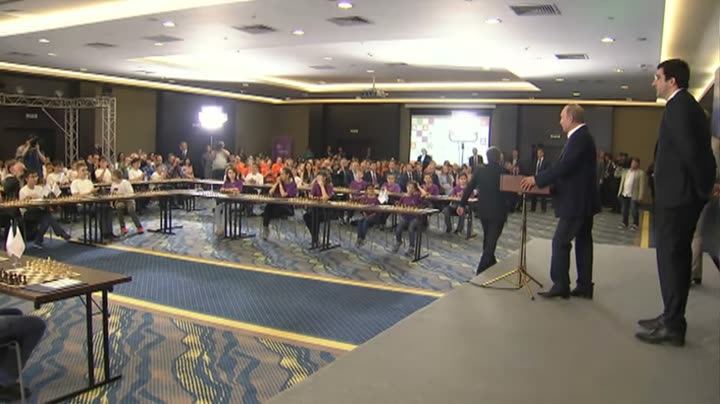
Video is likely
Real
Above: a conference hall with people at tables, from a real video in our test set, which our video model read as 99% real. Checking isn't only about catching fakes: real footage from public events deserves to be defended when someone claims it's AI.
If you get a suspicious robocall or voice note
Don't act on voting instructions from a call or message. Check your election office's official website for dates, places and rules, and report the call to your election office or, in the US, your state attorney general.
Quick answers
Are election deepfakes illegal?
In many US states, deceptive deepfakes of candidates near an election are illegal unless clearly labelled; rules vary by state and some are being challenged in court. Using deepfakes to stop people voting can break other laws too.
How can I tell if a political video is a deepfake?
Find the full original event, check reliable news and fact-checkers, watch for lip-sync and voice issues, and scan the clip. A clip that exists only on social media is the biggest warning sign.
Can a real video be called a deepfake?
Yes, and it happens: people caught on genuine video sometimes claim it's AI. Checking the source protects real footage as much as it exposes fakes.
Check a political clip
Paste the link or upload the video on crackly-ai.com. A Quick Scan is free to try. Our guide to verifying political videos goes deeper.